New Feature: Estimations are now live
We just released Estimations inside Classified Billing, so you can build polished project estimates before work begins and keep them organized right beside the rest of your billing workflow.
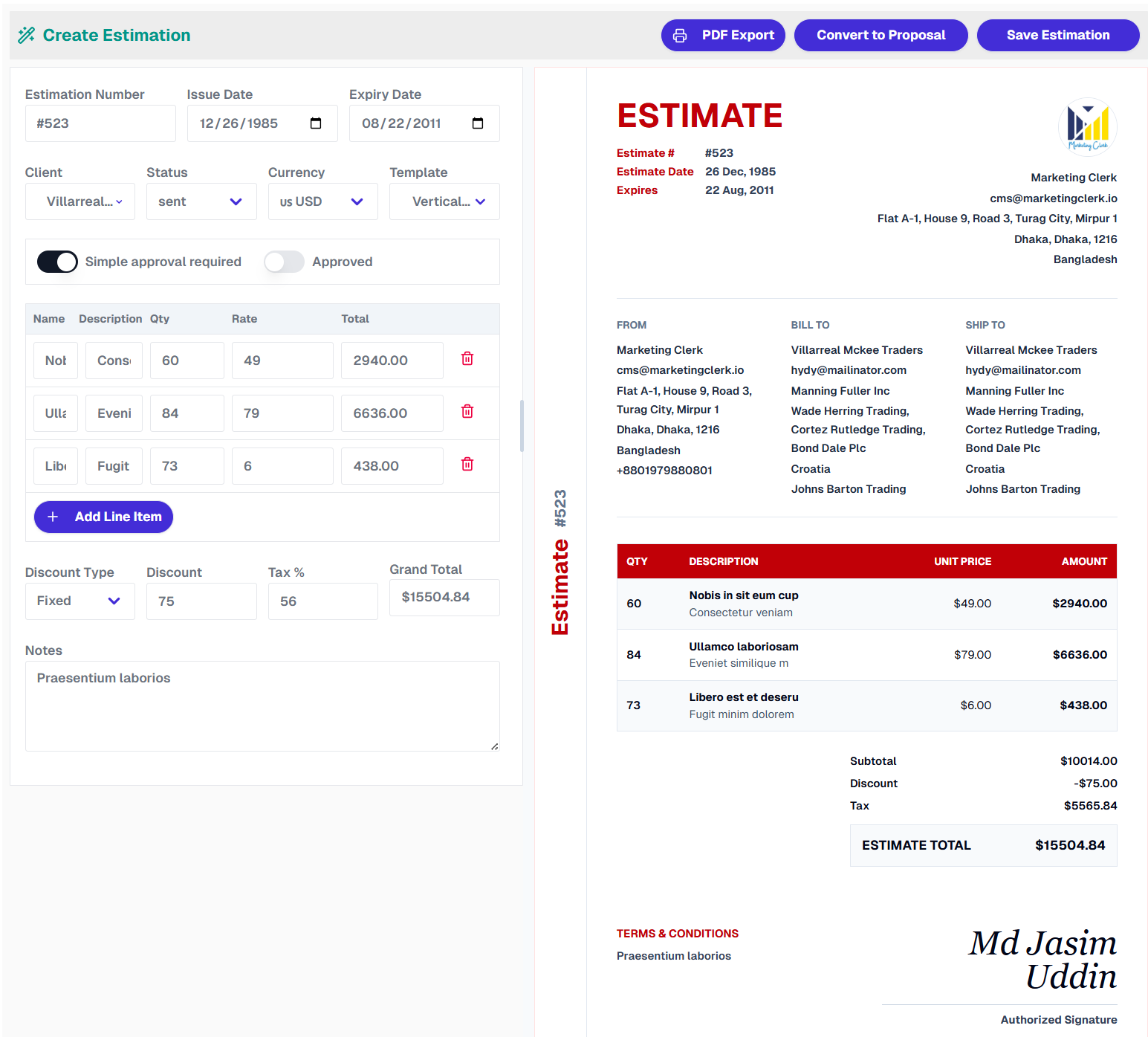
The new estimations workspace gives you a faster way to prepare quotes, preview the final document as you edit, and send clients a clean estimate they can review with confidence.
What you can do with Estimations:
- Start from 8 ready-made templates: Choose from Red Ledger, Orange Executive, Blue Sidebar, Formal Black, Vertical Mark, Teal Banner, Green Total, and Slate Technical.
- Edit with a live preview: Add clients, business details, issue dates, expiry dates, notes, and line items while the estimate updates beside the form.
- Calculate totals automatically: Quantity, rate, subtotal, fixed or percentage discounts, tax, and grand total are handled for you.
- Work in the right currency: Pick the currency for each estimate and keep totals clear for your client.
- Export and share: Save estimates, export them as PDFs, and copy a public estimation link when you are ready to send it.
- Track approval status: Mark whether approval is required and whether the estimate has already been approved.
If your work starts with a quote, scope, or price approval, this should make the whole handoff feel much smoother.
 Powered by ProductLift